Proposals and e-sign for contractors and consultants
Send a proposal your client can accept and pay for in three minutes.
Build it from a template, price it with optional items, and send a link. Your client toggles the extras, signs on their phone, and pays the deposit. You get a signed PDF and the money in Stripe.
Free forever. Unlimited proposals and signatures. No card to start.
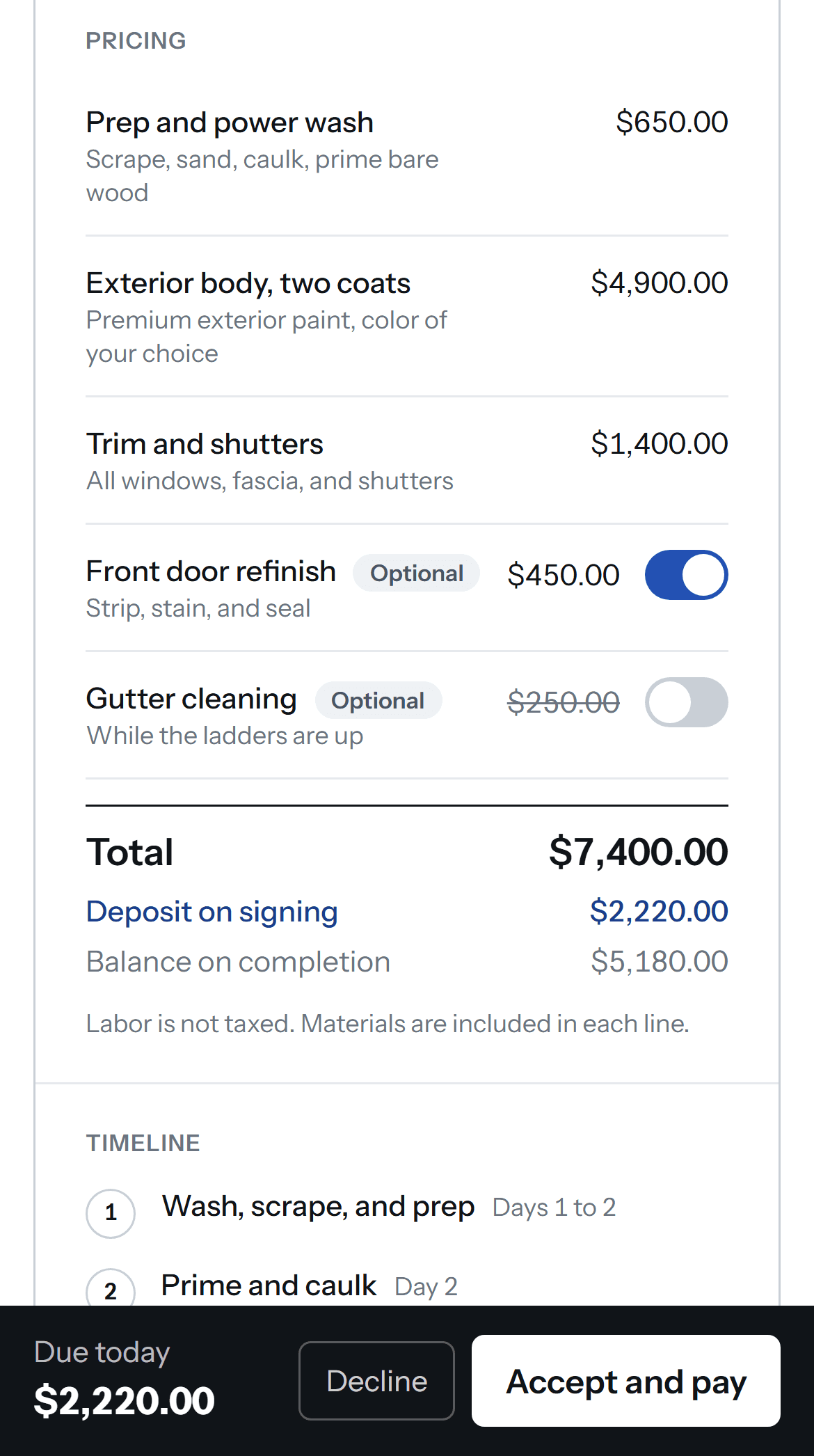
| Prep and power wash | $650.00 |
| Exterior body, two coats | $4,900.00 |
| Trim and shutters | $1,400.00 |
| Front door refinishOptional | $450.00 |
| Gutter cleaningOptional | $250.00 |
Three reasons people switch
Still sending Word docs and PDFs
Your quote lives in an attachment nobody can accept. A YesPage proposal is a page: they read it on their phone, toggle the extras, sign, and pay the deposit in one go.
Hit a document cap
PandaDoc Starter tops out around 110 documents a year. Proposify Basic allows five active. YesPage is unlimited on every plan, including free.
About to add a second seat
Per-seat tools charge $19 to $65 for the office manager who sends follow-ups. On YesPage Pro, everyone in the business is included for $39 flat.
Sixteen seconds, no cuts. Recorded from the live product.
What your client sees
A page, not an attachment. They read it, switch on the extras, and sign on their phone.
- ✓Optional items are on by default. The total and the deposit update as they toggle.
- ✓Signing is a typed or drawn name plus one consent line. No account, no app to install.
- ✓The deposit is collected on the same page, by card, into your own Stripe account.
- ✓Both of you get the signed PDF and a certificate of completion by email.
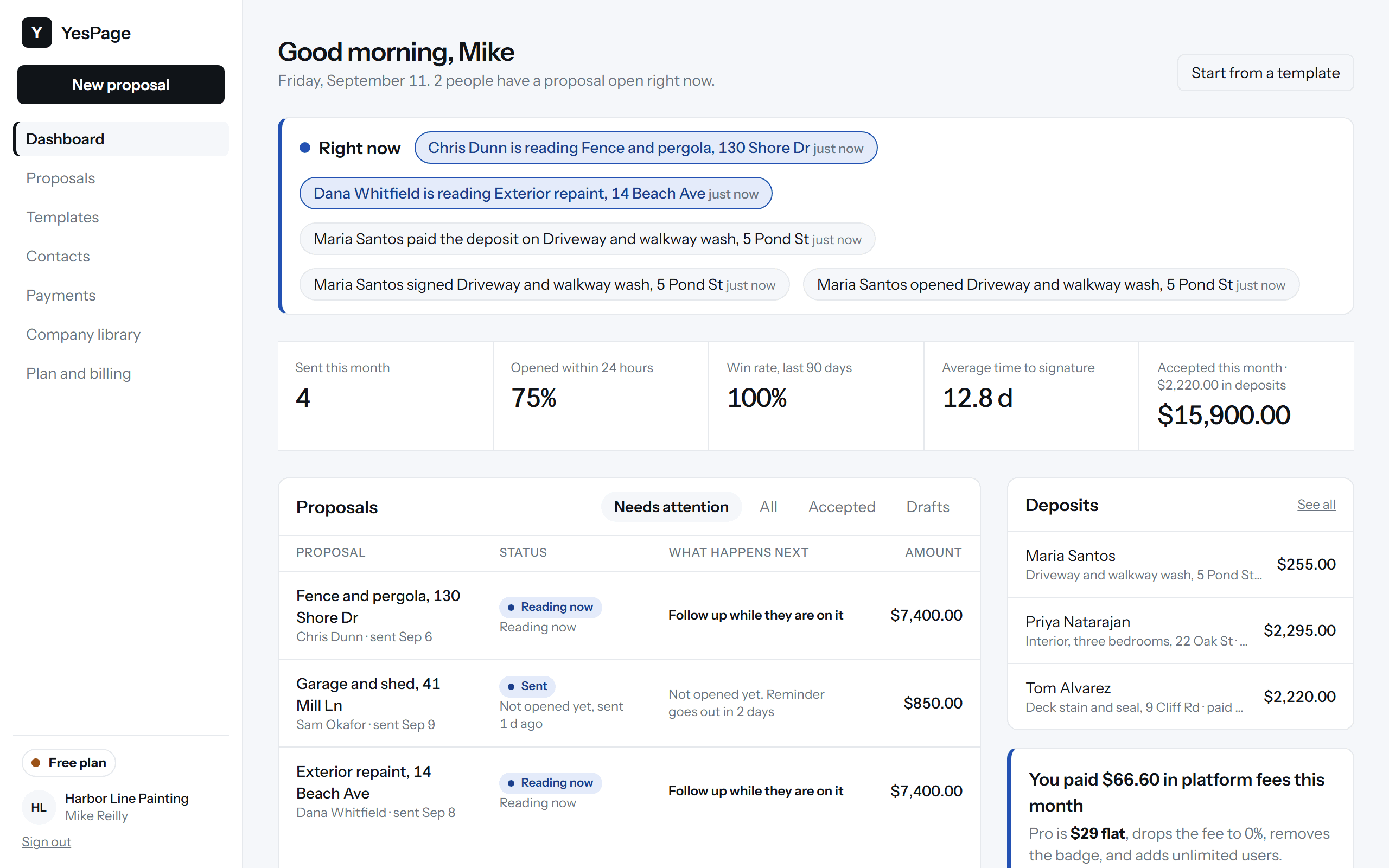
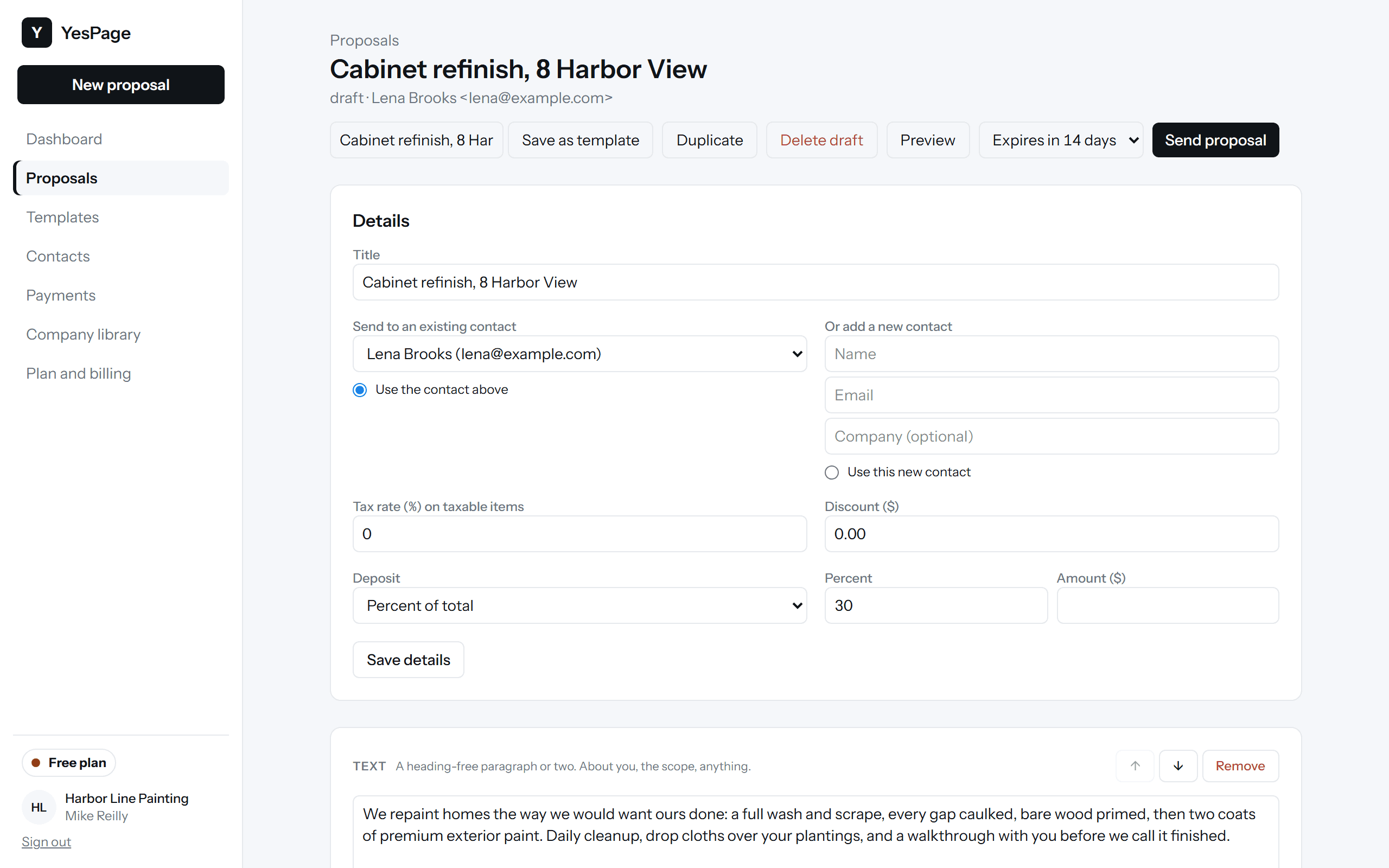
What you see
One screen that tells you who is reading, who signed, and what to do next.
How it works
- 1
Pick a template, drop in your library
Ten trade templates with real pricing. Your logo, team, reviews, and license numbers are saved once and land in every proposal.
- 2
Price it with optional items
Line items, quantities, tax, discounts, and optional extras that are on by default. The client can switch them; the total updates live.
- 3
They accept, sign, and pay
A typed or drawn signature, a deposit by card straight to your Stripe account, and a signed PDF with a certificate of completion to both of you.
Start from a trade template
All ten templatesSignatures you can stand behind
Every signature records who signed, from where, what they saw, and what they agreed to. The signed PDF is hashed, the audit trail is chained, and the certificate of completion lets anyone verify a copy years later, with or without us. How verification works.
Unlimited proposals, unlimited signatures, free.
Pro is $39 a month flat for the whole team when you want the badge gone and 0% fees on card payments.